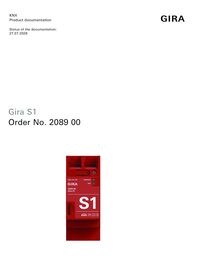
Gira S1

Specification
Item no.
Room
Quantity
EAN
PU
PS

DRA
2089 00
4010337035374
1
Price system (PS) not equal to 1, 14 = reduced discount.
Note: For legal reasons, some products are not available in certain countries.
DRA
EAN 4010337035374
Item no. 2089 00PU 1
PS
Price system (PS) not equal to 1, 14 = reduced discount.
Note: For legal reasons, some products are not available in certain countries.
Optional accessories
System device for door communication
Features
- Secure remote access by Gira Smart Home App, Gira HomeServer App and Gira Security System iOS or Android App.
- Secure remote access to web-based visualisations.
- Secure remote maintenance and remote programming of the Gira HomeServer, Gira G1, Gira X1, Gira L1, Gira DCS IP data interface.
- Secure remote maintenance via the Gira HomeServer Expert.
- Secure remote maintenance via the Gira Project Assistant (GPA).
- Secure remote maintenance of KNX projects via ETS. The programming and diagnosis is supported via a group and bus monitor.
- Gira HomeServer connected to the KNX bus via KNX Secure tunnelling.
- Secure remote access to HTML pages in the Smart Home network.
- Secure remote access via OpenVPN to other devices (e.g. telephone system, camera systems, network devices).
- Simple set-up of the VPN connection via the Gira device portal.
- Full KNX Secure support.
- Secure data transfer courtesy of SSL/TLS encryption.
- Secure remote maintenance and secure remote access via VPN.
- Push notifications sent to the Gira Smart Home App.
- Secure tunnelling connection support between Gira HomeServer and Gira S1.
- Recording of up to 200 KNX data points and displaying the recorded data in line graphs.
- Devices with index level I02 and firmware version 7 and above are available for recording data points and displaying graphs. The graphs can also be shown via the Gira Smart Home App, among other things.
- Portal server is located in Germany and is subject to German laws on data.
- Independence from internet provider and routers used. Secure remote access even with IPv6 Dual Stack Lite – (e.g. with Vodafone), LTE, or UMTS connections.
- Access management of the secure connections via KNX communication objects, Gira Smart Home App, Gira HomeServer App and QuadClient.
- Use as KNX clock.
- Recording of KNX telegrams on microSD card.
- Status signalling of the secure connections via KNX communication objects, Gira Smart Home App, Gira HomeServer App and QuadClient.
- Send information via push notifications to the Gira Smart Home App.
- Send notifications via e-mail. An attachment can be added to the e-mail, as an option.
- Send messages via SMS or queryable call via the fee-based additional service seven.io or MessageBird.
- Notification triggers can be configured individually (filters, conditions, hysteresis).
- Supports up to 50 notifications.
- Optimised KNX IP communication, for mobile or very slow connections.
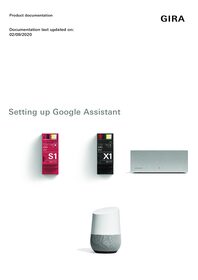
- The Gira S1 is required for secure communication between Gira X1 and the Amazon Alexa and Google Assistant.
- Supports accelerated transmission from the ETS to KNXnet/IP devices via a direct KNX IP connection.
- Two RJ45 jacks with a switch function help make looping the patch cord straightforward.
- Quick and convenient Gira S1 start-up via the Gira device portal.
- 2 GB of data each month.
- Unlimited operating life and 5 years' guaranteed server operation.
- Functional expansions and updates via firmware and software updates.
- Firmware is updated via the Gira Project Assistant (GPA) or the device website.
Technical data
| KNX medium | TP256 |
| Rated voltage | DC 24 to 30 V |
| Power consumption | 2 W |
| IP communication | Ethernet 10/100 BaseT (10/100 Mbit/s) |
| Connections | |
| IP | 2 x RJ45 jacks |
| KNX | Connection and junction terminal |
| Ambient temperature | 0 °C to +45 °C |
| KNX | TP1, S mode (ETS) |
| microSD card | |
| for KNX data logger function | up to 1 TB (SDXC) |
Notes
- Power supply via external DC 24 V or via unchoked output of the Gira power supply for KNX.
- microSD card not included in delivery.
- A KNX system is required to send notifications (push notifications, emails, SMS or voice messages).
Dimensions
| Modular widths (MW) | 2 |



Gira Project Assistant (GPA)
Configuration software for Gira One, Gira L1, Gira X1, Gira S1, Gira G1 and DCS-IP data interface. Please unzip the entire contents of the ZIP folder before installing the GPA!
Configuration software for Gira One, Gira L1, Gira X1, Gira S1, Gira G1 and DCS-IP data interface. Please unzip the entire contents of the ZIP folder before installing the GPA!

Gira S1 firmware update
For Gira S1 with index status I00 and I01. To perform the update the Gira Project Assistant V 4.7 is required.
For Gira S1 with index status I00 and I01. To perform the update the Gira Project Assistant V 4.7 is required.
Gira S1 firmware update
For Gira S1 with index status I02 or higher. To perform the update the Gira Project Assistant V 4.7 is required.
For Gira S1 with index status I02 or higher. To perform the update the Gira Project Assistant V 4.7 is required.
Gira S1 Windows Client 32 Bit
PC application for secure access to devices in the remote network.
PC application for secure access to devices in the remote network.
Gira S1 Windows Client 64 Bit
PC application for secure access to devices in the remote network.
PC application for secure access to devices in the remote network.
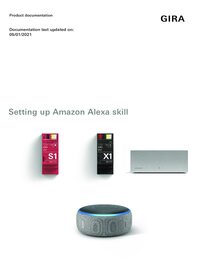
Set up Amazon Alexa
This document describes the setup of Amazon Alexa in connection with the Gira S1 and the Gira X1 or Gira HomeServer.
This document describes the setup of Amazon Alexa in connection with the Gira S1 and the Gira X1 or Gira HomeServer.