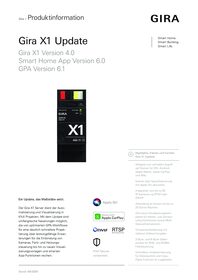
Gira X1

Specification
Item no.
Room
Quantity
EAN
PU
PS

DRA
2096 00
4010337023647
1
Price system (PS) not equal to 1, 14 = reduced discount.
Note: For legal reasons, some products are not available in certain countries.
DRA
EAN 4010337023647
Item no. 2096 00PU 1
PS
Price system (PS) not equal to 1, 14 = reduced discount.
Note: For legal reasons, some products are not available in certain countries.
Optional accessories
System device for door communication
Displays / Gira G1
DIN rail adapters (DRA)
Features
Visualisation functions
- More than 35 visualisation functions.
- Dimmer (RGB, RGBW, Tunable White), switch, button, blind and shutter with or without positioning, heating, climate, scene auxiliary unit, scene set, IP camera, status display, value transmitter, percentage value transmitter, temperature value transmitter, sauna control, audio control and A/C
New from September 2026 with Gira X1 V4.0:
- RGB and RGBW colour control with support for- 3-byte data points (DPT)- 6-byte data points (DPT).
- Heating and cooling- Absolute setpoint setting- Relative setpoint setting
- Integration of up to 50 IP cameras- Call-up of video streams via RTSP protocol- Connection established to IP cameras via ONVIF technology (Profile S)
- Weather station and air conditioning.
- Automatic function with threshold transmitter, e.g. for sun protection function.
Logic functions
- More than 40 logic nodes.
- Basic mathematical operations, solar tracking for shutter and blind control, temperature control, partition wall control, staircase lighting, random generator, Modbus TCP.
- Direct communication with Gira L1 to exchange information and values by Ethernet.
- Configurable logic nodes (e.g. freely selectable number of inputs).
- Open to extensions due to flexible import of new logic nodes.
New from September 2026 with Gira X1 V4.0:
- Multi-status displayIndividual creation of visualisations to display up to 300 status and value items in a single tile/row.
- Consumption and yield calculator:Automatic calculation and visualisation of consumption/generation values for different time periods.
Smart Home App
- Up to 250 function clocks can be set by the user in the app.
- Up to 62 users can be created in user management.
- Simultaneous access to the Gira X1 from 100 mobile end devices.
- User interface personalisation.
- Occupied-home simulation with the simulation starting according to the day.
- Connection to Philips Hue with a maximum of 30 Hue devices or a maximum of 5 Hue bridges.
New from September 2026 with Gira X1 V4.0:
- Connection to Sonos with up to 25 Sonos rooms including assignment and selection of favourites.
Start-up and project management
- Optimised start-up:fast project changes and updates during operation with no need to restart the device.
- KNX interface function to allow remote start-up of the ETS project.
- Readout of the current Gira X1 runtime project by means of GPA.
- Project backup:a copy of the project is saved to the Gira X1.
- Start-up:The physical address and application are parametrised using the KNX start-up software ETS from version 4.1.8.The Gira Project Assistant (GPA) is used for further configuration. The Gira Project Assistant is available free of charge in the Gira download area.
Functions in combination with the Gira S1
- Voice control- Amazon Alexa- Google AssistantNew from September 2026 with Gira X1 V4.0:- Apple Siri
- Call-up of diagrams.
- Simple remote access/remote maintenance with the Gira S1.
- Push notifications sent to the Gira Smart Home App.
Technical data
| KNX medium | |
| Integrated diagnostic function:·Bus monitor for controlling devices and loads.·Telegram monitor with ring memory for storing up to 500,000 telegrams. | TP256 |
| Gira One Medium | Twisted-Pair (TP), YCYM 2 x 2 x 0,8 |
| Rated voltage | DC 24 to 30 V |
| Power consumption | 4 W |
| IP communication | Ethernet 10/100 BaseT (10/100 Mbit/s) |
| Supported protocols | DHCP, AutoIP, TCP/IP, UDP/IP |
| Connections | |
| IP | 2 x RJ45 jacks |
| KNX | Connection and junction terminal |
| Ambient temperature | 0 °C to +45 °C |
| microSD card | |
| for SDK functions | up to 32 GB (SDHC) |
Notes
- Power supply by external DC 24 V.
- Gira X1 software extensions available in the Gira App ShopThe Gira X1 (item no.: 2096 00) is equipped with 250 functions and 1,000 data points in the standard scope of delivery. Chargeable add-on packages for the Gira X1 are available in the Gira App Shop (https://appshop.gira.com).
- Gira X1 software extension with 125 functions provides:Additional 125 functions and 500 extra data points, resulting in the Gira X1 having more than 375 functions and 1,500 data points.
- Gira X1 software extension with 250 functions provides:Additional 250 functions and 1,000 more data points, which then gives the Gira X1 more than 500 functions and 2,000 data points.
Gira X1 can be upgraded with both packages. Gira X1 then features a total of 625 functions and 2,500 data points.Each upgrade package can only be licensed once. - Gira offers developers a range of tools for developing extensions for the Gira Smart Building products:- Gira X1/L1 logic node SDK- Gira IoT REST APIhttps://developer.gira.de
Dimensions
| Modular widths (MW) | 2 |
More links
The Gira AppShop is the marketplace for interesting solutions and applications in intelligent building technology. There are now more than 200 apps available, including application descriptions, plug-ins, function templates, logic modules and sample projects.
More


Gira Project Assistant (GPA)
Configuration software for Gira One, Gira L1, Gira X1, Gira S1, Gira G1 and DCS-IP data interface. Please unzip the entire contents of the ZIP folder before installing the GPA!
Configuration software for Gira One, Gira L1, Gira X1, Gira S1, Gira G1 and DCS-IP data interface. Please unzip the entire contents of the ZIP folder before installing the GPA!
Gira Smart Home Windows Client 32 Bit
Gira Smart Home App for Windows PC
Gira Smart Home App for Windows PC
Gira Smart Home Windows Client 64 Bit
Gira Smart Home App for Windows PC
Gira Smart Home App for Windows PC
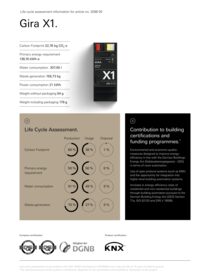
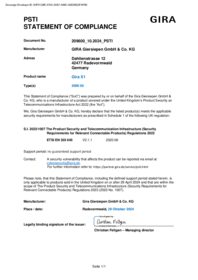
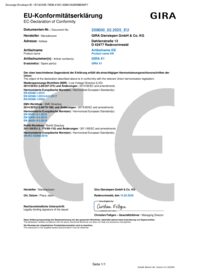

Gira X1 firmware update
To perform the update the Gira Project Assistant V 6.1 is required.
To perform the update the Gira Project Assistant V 6.1 is required.
Gira X1 Logic modules "Gira G1 notification" & "Gira G1 DCS-state"
Gira G1 notification: This node is used for the easy generation of text messages on the Gira G1. Gira DCS-state: This node is used to evaluate the Gira G1’s door communication status.
Gira G1 notification: This node is used for the easy generation of text messages on the Gira G1. Gira DCS-state: This node is used to evaluate the Gira G1’s door communication status.
Gira X1 Logic node Schüco
Control of Schüco windows and Schüco sliding systems: The logic node uses the information from the 4-byte datapoint type "Status" of the Schüco KNX gateway to allow control with the Gira X1 function "Shutters/blinds".
Control of Schüco windows and Schüco sliding systems: The logic node uses the information from the 4-byte datapoint type "Status" of the Schüco KNX gateway to allow control with the Gira X1 function "Shutters/blinds".
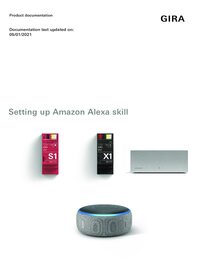
Set up Amazon Alexa
This document describes the setup of Amazon Alexa in connection with the Gira S1 and the Gira X1 or Gira HomeServer.
This document describes the setup of Amazon Alexa in connection with the Gira S1 and the Gira X1 or Gira HomeServer.
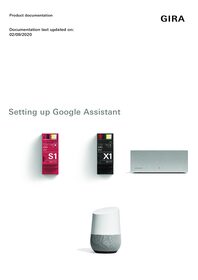
Set up Google Assistant
This document describes the setup of Google Assistant in connection with the Gira S1 and the Gira X1 or Gira HomeServer.
This document describes the setup of Google Assistant in connection with the Gira S1 and the Gira X1 or Gira HomeServer.
Gira X1 Logikbaustein Modbus-Schnittstelle
Der Logikbaustein ermoglicht eine Integration von PV-Anlagen, Batteriespeichern und Wärmepumpen sowie Heizungsanlagen und Ladestationen in das KNX System.
Der Logikbaustein ermoglicht eine Integration von PV-Anlagen, Batteriespeichern und Wärmepumpen sowie Heizungsanlagen und Ladestationen in das KNX System.