Gira G1 with WLAN

Specification
Item no.
GBP/unit
excl. VAT:
excl. VAT:
Room
Quantity
EAN
PU
PS

black glass
2066 05
990.13
4010337125303
1
36

white glass
2066 12
990.13
4010337125297
1
36
Recommended retail price, prices valid for United Kingdom as of the stated date 01/26
Price system (PS) not equal to 1, 14 = reduced discount.
black glass
EAN 4010337125303
Item no. 2066 05PU 1
GBP 990.13PS 36
white glass
EAN 4010337125297
Item no. 2066 12PU 1
GBP 990.13PS 36
Recommended retail price, prices valid for United Kingdom as of the stated date 01/26
Price system (PS) not equal to 1, 14 = reduced discount.
Optional accessories
System device for door communication
Communication technology
Spare part
Features
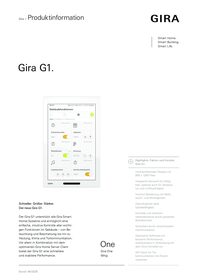
- A gesture-controlled multi-touch display is used for operation.
- Connection and communication are via LAN or WLAN, depending on the variant.
- Integrated speaker.
- Integrated microphone with echo compensation.
- Monoblock device with integrated power supply unit and RJ45 connection.
- Quick start-up via the Gira Project Assistant (GPA) with optimised usage profiles for room or building operation.
Potential applications and combinations
- As a multifunctional room operating device, the Gira G1 offers the following functions or combinations of functions:- Home station as SIP client- Home station for DCS IP gateway (2nd generation)- Internet service integration- Client for the following systems and servers: Gira HomeServer - Gira X1- Gira One
Features as a video home station
- Camera changeover: specific selection of connected colour cameras.
- Controlling the door opener.
- Switching the ringing tone on and off.
- Ringtone can be selected from a choice of 10 melodies.
- Accepting calls.
- Adjustment of ring tone and voice volume.
- Internal calls.
- Floor call can be triggered with auxiliary input.
- Floor call can be triggered using the pushbutton sensor for KNX.
Properties as a home station with SIP client
- Client function for SIP third-party systems from e.g. Comelit, TCS, SCHÜCO DCS Touch, 2N.
- SIP calls can be made directly or via registry.
- 64 internal calls possible, e.g. to the concierge.
- Early Media support for video image
Integration of internet services
- Gira weather service: display of the weather forecast for up to five cities (internet connection required).
Properties as a Gira HomeServer client
- The Gira G1 can be used as a client in systems with a Gira HomeServer operating with version 4.13 of the Gira HomeServer Expert software or higher, depending on the configuration.
- The Gira G1 shows the interface design of the Gira HomeServer. Almost all of the functions included as standard with the Gira HomeServer are supported, along with charts, cameras, the camera archive, messages, value displays and weather forecasts. The free visualisation can also be displayed.
- Both the light and dark designs are supported and the user can switch between the two.
- If the G1 is to be used solely as a room operating device, simplified parametrisation via the GPA is possible.
- In addition, the G1 can be used as a home station at the same time. This function can be implemented as an SIP client or, for the Gira 2-wire door communication, via the DCS IP gateway.
Properties as a Gira X1 client
- Depending on the configuration, the Gira G1 can also be used as a client in systems with a Gira X1.
- Following activation, the Gira G1 shows the interface design of the Gira X1. Up to 500 Gira X1 functions can be supported.
- In addition to the Gira X1 building control functions, the following functions are available in the Gira G1 when used as a Gira X1 client:- Direct function- Gira door communication- Online weather service
Properties as a Gira One server client
- Depending on the configuration, the Gira G1 can also be used as a client in systems with a Gira One server.
- Once activated, the Gira G1 displays the Gira interface of the Gira Smart Home App. Up to 250 Gira One devices can be displayed in this manner.
- A maximum of 50 Gira G1 units can be used within one and the same Gira One project.
- In addition to the building control devices, the following functions are available in the Gira G1 when used as a client on the Gira One server:- Direct function- Gira door communication- Online weather service.
- The Gira G1 is supplied with power by DC 24 V or the network cable (PoE).
- The Gira G1 can be operated in 2.4 GHz or 5 GHz networks.
Technical data
| Power supply | DC 16–31 V ± 2 V |
| PoE performance class 0 | DC 48 V PoE |
| PoE standard | IEEE 802.3af |
| Network installation | Ethernet specification: Cat. 5e, Cat. 6, Cat. 6a, Cat. 7 |
| Power consumption | |
| Maximum | 8 W |
| Typical | 4 W |
| Connections | |
| Network connection | RJ45 |
| Auxiliary input for floor-call button | Plug terminal, 5-wire cable set |
| Power supply | 2-pole plug terminal |
| Display | |
| Diagonal | 17.78 cm (= 7″) |
| Number of colours | 16.7 M |
| Resolution | 800 x 1280 px, 216 ppi |
| Brightness | 340 cd/m2 |
| Contrast ratio | 1:1000 |
| Viewing angle | >85° all round |
| Ambient temperature | +5°C to +40°C |
| Proximity sensor | |
| Range | max. 40 cm |
| Detection range | 30° horizontal, 10° vertical |
| Protection class | IP3XD |
| WLAN standard | IEEE 802.11b/g/n/ac 2.4 GHz + 5 GHz |
| Dimensions | |
| Profile height | W 114 x H 181 x D 15 mm |
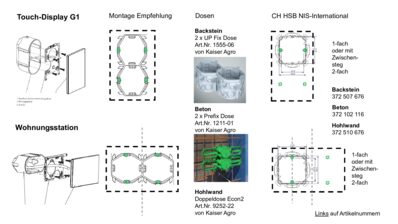
| Installation depth | 18 mm |
| Connection cable | DC 24 V |
Notes
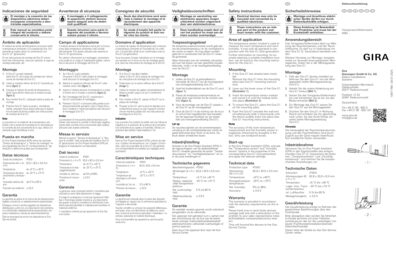
- Suitable for indoor use only.
- When planning the system, please observe the technical information on network planning in the device documentation.
- Can be updated via the Gira Project Assistant (GPA).
Scope of delivery
- Display module, mounting frame, 5-wire cable set, patch cord
Dimensions
| Width | 114.00 mm |
| Height | 181.00 mm |
| Depth | 33.00 mm |
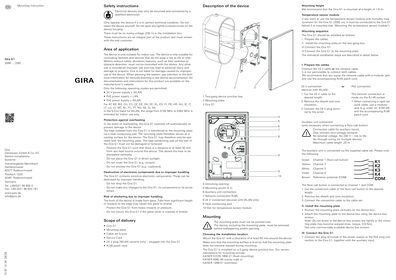

Gira G1 (2. Generation) Firmwareupdate
To perform the update the Gira Project Assistant from V 6.1 is required.
To perform the update the Gira Project Assistant from V 6.1 is required.
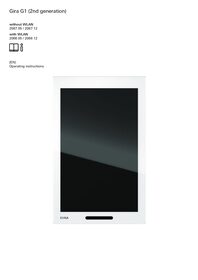
Gira G1 with WLAN
EC Declaration of conformity
EC Declaration of conformity
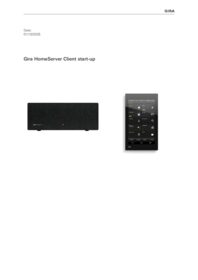
Gira HomeServer Client start-up
This document describes how to start up a Gira G1 (2nd generation) and set the parameters for the various applications.
This document describes how to start up a Gira G1 (2nd generation) and set the parameters for the various applications.
Gira Project Assistant (GPA)
Configuration software for Gira One, Gira L1, Gira X1, Gira S1, Gira G1 and DCS-IP data interface. Please unzip the entire contents of the ZIP folder before installing the GPA!
Configuration software for Gira One, Gira L1, Gira X1, Gira S1, Gira G1 and DCS-IP data interface. Please unzip the entire contents of the ZIP folder before installing the GPA!