Pushbutton sensor 2, 3-gang 24 V zero-voltage with inscription space

Specification
Item no.
Room
Quantity
EAN
PU
PS

clear / pure white glossy
2003 100
4010337047971
1

stainless steel
2003 600
4010337020363
1
Price system (PS) not equal to 1, 14 = reduced discount.
Note: For legal reasons, some products are not available in certain countries.
clear / pure white glossy
EAN 4010337047971
Item no. 2003 100PU 1
PS
stainless steel
EAN 4010337020363
Item no. 2003 600PU 1
PS
Price system (PS) not equal to 1, 14 = reduced discount.
Note: For legal reasons, some products are not available in certain countries.
Optional accessories
Accessories
Features
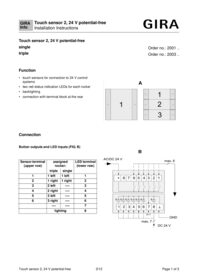
Pushbutton sensor 2 for connection to 24 V control systems
- Three rockers with two red LEDs for status display each.
- Safeguarded from disassembly because it is screw-fastened.
- Backlighting.
- Connection of six buttons, six LEDs, and backlighting using terminal block on the rear.
Technical data
| Rated voltage of each push button | AC/DC 24 V SELV |
| Load capacity of each push button | max. 20 mA |
| Rated voltage of each LED | DC 24 V SELV |
| Load capacity of each LED | 1 mA |
| Connection | 2 x terminal block, 9-pole |
| Connection cross section | 0.4 to 0.8 mm single-wire |
| Installation depth | 25 mm |
| Ambient temperature | -5 °C to +45 °C |
Notes
- Suitable for SELV circuits only.
- Can also be connected to be illuminated.
- Professional inscription by the Gira inscription servicewww.beschriftung.gira.de.
Scope of delivery
- Plain inscription labels included.



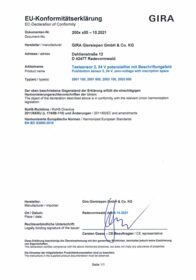
Pushbutton sensor 2, 24 V zero-voltage with inscription space
EC Declaration of conformity
EC Declaration of conformity