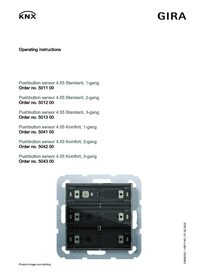
Pushbutton sensor 4.55 Komfort, 2-gang for Gira One and KNX with start-up rocker

Specification
Item no.
Room
Quantity
EAN
PU
PS

5042 00
4010337110798
1/5
Price system (PS) not equal to 1, 14 = reduced discount.
Discontinued item. Available until 12/2026. Only while stocks last.
Note: For legal reasons, some products are not available in certain countries.
Successor item:
EAN 4010337110798
Item no. 5042 00PU 1/5
PS
Price system (PS) not equal to 1, 14 = reduced discount.
Discontinued item. Available until 12/2026. Only while stocks last.
Note: For legal reasons, some products are not available in certain countries.
Successor item:
Necessary accessories
Optional accessories
Accessories
Features
Function in the Gira One system
- Pushbutton sensor 4.55 Komfort for operating Gira One devices.
- Integrated temperature sensor for measuring the room temperature.
- Integrated humidity sensor for measuring the room humidity.
- Input for external remote sensor for measuring the floor temperature.
- Pushbutton sensor 4.55 Komfort can be combined in the Gira System 55.
- Start-up of the pushbutton sensors from index level 00 using Gira Project Assistant (GPA) version 5.1.
Operating functions
- Switching of devices, such as lights, socket outlets or pumps.
- Dimming of lights.
- Operation of shading and ventilation devices (blinds, shutters, skylights, roof domes and awnings).
- Convenient group control of switching, dimming, shading and ventilation devices.
- Calling up of scene variants.
- Use as a staircase button to activate the staircase function for switching and dimming devices.
- Functions as floor-call button together with Gira G1
- Control of Sonos audio devices.
- Controls Hue devices.
- Controls eNet devices.
- Door or garage door opener function.
- Boost function.
Operating concept for horizontal installation (operation using the left/right button)
- Switching function: left button: switchover; right button: switchover
- Dimming function, short actuation: left button: switchover; right button: switchover
- Dimming function, long actuation: left button: darker; right button: brighter
- Shading function: left button: lower; right button: raise
- Scene function: left button: scene variant 2; right button: scene variant 1
- Staircase light function: left/right button: switch on
- Garage door function: left/right button: pulse/rising edge
- Door opener function: left/right button: pulse/rising edge
- Sonos audio control: left button: play favourite 1; right button: play/pause
- Floor call (Gira G1): : left/right button: activate floor call
- Boost: left button: switchover; right button: switchover
Operating concept for vertical installation (operation using the top/bottom button)
- Switching function: top button: switchover; bottom button: switchover
- Dimming function, short actuation: top button: switchover; bottom button: switchover
- Dimming function, long actuation: top button: brighter; bottom button: darker
- Shading function: top button: raise; bottom button: lower
- Scene function: top button: scene variant 1; bottom button: scene variant 2
- Staircase light function: top/bottom button: switch on
- Garage door function: top/bottom button: pulse/rising edge
- Door opener function: top/bottom button: pulse/rising edge
- Sonos audio control: top button: play/pause; bottom button: play favourite 1
- Boost: top button: switchover; bottom button: switchover
Room temperature
- Temperature adjustment for the integrated temperature sensor.
LED display
- Brightness value of the status LED can be set to 5 different levels, as well as off.
- Colour of the status LED (red, green, blue, yellow, cyan, orange, violet or white) can be set.
- Status LED function selection can be set depending on the rocker function: always OFF, always ON, actuation display or status display
Function in the Gira KNX system
- Pushbutton sensor with integrated bus coupler and the option of connecting a wired remote sensor.
- Integrated temperature sensor.
- The pushbutton sensor must be completed with rocker sets to be ordered separately. Three rocker set variants are available: rocker set without inscription option, with inscription space or individually lasered rockers.
- The pushbutton sensor can be installed horizontally (“normal” installation position) or vertically (“rotated by -90°” installation position).
- Rocker function or button function can be set for each operating surface.
- Tactile feedback when a button is pressed.
- Functions: Switching, dimming of brightness and colour temperature, colour control, blinds, value transmitter, scene auxiliary unit, two-channel operation and controller auxiliary unit.
- Switching: Reaction when pressed and/or released, switching on, switching off, changing over.
- Dimming of brightness and colour temperature: Times for short and long actuations, dimming in different levels, telegram repetition in the event of long actuation, sending a stop telegram at the end of actuation.
- Colour control: Type of colour control, colour spectrum and values can be set. The command when pressing, the time between switching and colour cycle / brightness adjustment, the start value and the increment of the adjustment can be set as well as the telegram repetition if pressed for a long time.
- Blinds: The command when pressed and the operating concept are adjustable. The operating concept can be adapted in the times for short and long actuation and slat adjustment.
- Value transmitter: The mode of operation (1-byte, 2-byte, 3-byte or 6-byte value transmitter) and the value are adjustable.
- Scene auxiliary unit: The mode of operation (with or without memory function) and the scene number are adjustable.
- 2-channel operation: Up to two telegrams can be sent to the KNX by pressing a button. The operating concept can be set and the time for short and long actuation can be adjusted. The mode of operation of the channels can be set separately.
- Controller auxiliary unit: The mode of operation (operating mode switch-over, forced operating mode switch-over, presence function and setpoint adjustment) can be set.
- Function for disabling individual buttons and rockers.
Controller auxiliary unit properties
- The controller auxiliary unit can be parametrised as the function of a rocker or button. Control of a room temperature controller (operating modes, presence function and setpoint adjustment).
- Evaluation of the controller status via status LED.
- Temperature measurement can be activated. Measurement of the room temperature with an internal sensor or optionally by creating a measured value of the internally measured temperature with an external temperature.
Functions of the status LEDs
- The function selection is made for each status LED. The following functions can be parametrised: always OFF, always ON, actuation display, telegram acknowledgement, status display, control with separate LED object, operating mode display, controller status display, presence status display and setpoint adjustment.
- Colour can be parametrised. The colour selection is performed either for all status LEDs or separately for each status LED of the device. The status LEDs can light up in red, green, blue, yellow, cyan, orange, violet or white as required.
- The status LEDs have six adjustable brightness levels. With night-time reduction, the brightness of the status LEDs can be reduced in the night hours by means of a communication object.
- In addition, a superordinate function can be enabled for every status LED, allowing another colour and display type to be set.
- Alarm message LED: All LEDs of the pushbutton sensor can flash red simultaneously in the event of an alarm message.
- LED orientation lighting: For orientation, all LEDs can be switched off or on permanently, indicate the status of a separate communication object (ON, OFF, flashing) or be switched on when a button is pressed and automatically switched off again after a delay time passes.
General functions
- Function for disabling individual buttons and rockers.
- Scene function: Internal storage of up to eight scenes with eight output channels.
- Temperature measurement: Room temperature measurement by internal sensors, wired sensors, internal and wired remote sensors or internal and external sensors.
- Controller auxiliary unit properties
Technical data
| KNX medium | TP256 |
| Gira One Medium | Twisted-Pair (TP), YCYM 2 x 2 x 0,8 |
| Connection | Connection and junction terminal |
| Protection class | III |
| Installation depth | 13.8 mm |
| Keypad | 55 x 55 mm |
| Ambient temperature | -5 °C to +45 °C |
Notes
- Successor item: 504600

Pushbutton sensor 4 Komfort System 55
Technical documentation.
Technical documentation.

Pushbutton sensor 4 Standard / Komfort System 55
from ETS5.7.5
from ETS5.7.5
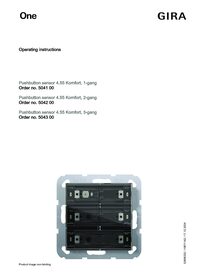
Pushbutton sensor 4.55 Komfort for Gira One
Operating instructions.
Operating instructions.
Pushbutton sensor 4.55 Komfort for Gira One and KNX with start-up rocker
EC Declaration of conformity
EC Declaration of conformity
Pushbutton sensor 4.55 Komfort, 2-gang for Gira One and KNX with start-up rocker
PSTI Statement of Compliance
PSTI Statement of Compliance