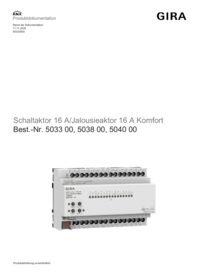
Switching actuator, 16-gang 16 A / blind actuator, 8-gang 16 A Komfort for KNX

Specification
Item no.
Room
Quantity
EAN
PU
PS

DRA
5038 00
4010337060994
1
Price system (PS) not equal to 1, 14 = reduced discount.
Note: For legal reasons, some products are not available in certain countries.
DRA
EAN 4010337060994
Item no. 5038 00PU 1
PS
Price system (PS) not equal to 1, 14 = reduced discount.
Note: For legal reasons, some products are not available in certain countries.
Optional accessories
Depending on the parameterisation, the actuator can be used as a switching actuator or a blind actuator. Mixed configurations of switching and blind actuators are also possible. For the blind actuator function, two neighbouring relay outputs are combined to form one blind output.
Features
- Blind or switching operation can be parametrised. In blind operation, the adjacent outputs (A1/A2, A3/A4...) are combined into one blind output. Mixed operation at one actuator (e.g. A1 & A2 blind, A3 & A4 blind, A5 switching, A6 switching ...) is possible.
- Up to 8 independent logic functions for implementing simple or complex logical operations.
- Actively transmitting feedback or status messages can be delayed globally after a bus voltage recovery or ETS programming operation.
- Manual operation of the outputs independently of KNX with intelligent LED status displays for saving energy.
- Advanced manual actuation: Toggle between blind mode and switching mode before starting up the ETS.
- Heartbeat function for monitoring the device, cyclical transmission 1 bit.
- Bistable relay.
- Supply from KNX bus, no additional power supply required.
- Simplified terminal connection (no terminal overlapping).
- Simplified configuration via separate template channels for the blind/shutter/awning and switching functions, to which the individual channels can be conveniently assigned.
Blind functions
- Operating mode can be parametrised: Control of slat blinds, roller shutters, awnings, skylights or ventilation flaps.
- Separately parameterisable curtain runtimes with runtime extension for movements into the upper end position.
- For slat blinds, a slat runtime can be parametrised independently.
- Switchover time for change of direction and times for short and long-term operation (Step, Move) can be set.
- Reaction on bus voltage recovery and after an ETS programming operation can be set for each output.
- Central control of all blind outputs via up to 6 long-term objects possible (UP, DOWN, permanently UP, permanently DOWN).
- Feedback on the curtain or slat position. In addition, feedback on an invalid curtain position or a drive movement is possible.
- Assignments of up to 5 different safety functions (3 wind alarms, 1 rain alarm, 1 frost alarm), or with cyclical monitoring. The safety functions (objects, cycle times, priority) are created in a device-based manner for all outputs. An assignment of individual outputs to the safety functions and the safety reactions can be parametrised based on the channel.
- Status messages for upper and lower end positions.
- Twilight function.
- Comprehensive sun protection function with fixed and variable curtain or slat positions at the beginning or end of the function can be activated separately for each output. Including dynamic slat offset for slat blinds. Also with extended sun protection for integration in more complex shading control systems (has separate automatic and blocking objects). Optionally also with automatic heating/cooling and presence function. Optional deactivation of the automatic sun protection via direct operation.
- Fabric tensioning function for awnings.
- Extended blocking function with acknowledgement option.
- Ventilation function for windows with window contacts. Enhanced ventilation function for open or tilted windows, and day/night mode.
- Separate smart teaching function for curtain runtimes for every channel.
- Internal group communication for cross-channel runtime configuration.
- Optimisation of the teaching-in of runtimes by networking the channels via internal group communication.
- Runtimes can be transferred to other devices.
- Forced setting function or blocking function can be implemented for each blind output.
- Up to 64 internal scenes can be parametrised per output.
- Scene memory function: Additional visual feedback.
- Extended scene retrieval (toggling of scenes).
- Direction of rotation can be reversed using ETS parameters.
- Door contact detection for lock-out protection for terrace and balcony doors.
Switching functions
- Independent switching of the switching outputs.
- NO contact or NC contact operation.
- Central switching function via up to 6 switch objects (ON, OFF, permanently ON, permanently OFF) and collective feedback.
- Switching feedback: transmitting to the bus cyclically or when there is a change.
- Reaction to bus voltage failure or bus voltage recovery and after an ETS programming operation can be fully set for each output.
- Logical individual linking function for each output.
- Blocking function can be parametrised for each channel. Alternative separate forced setting function for each output.
- Extended blocking function with acknowledgement option and feedback object.
- Time functions (switch-on and switch-off delay, staircase light function – also with advance warning function).
- Integration into light scenes possible: Up to 64 internal scenes can be parametrised per output.
- Elapsed operating time meter can be activated individually for each output.
- Input monitoring for cyclic updating of the switching object with safety position.
- Feedback of the combined function status with a standardised and an extended communication object.
Logic functions
- The device has 8 internal logic functions.
- Logic gate (AND, OR, exclusive AND, exclusive OR, each with up to 4 inputs).
- 1-bit to 1-byte converter with input filter, blocking object and specification of output values.
- Blocking element with filter and time functions and blocking object.
- Comparator for values with 9 different input data formats and many comparison operations.
- Limit value switch with hysteresis with upper and lower threshold values for 9 different input data formats. Including specification of the 1-bit output values.
- The logic functions have their own KNX communication objects and can process telegrams from the actuator or other bus devices.
Technical data
| KNX medium | TP256 |
| Rated voltage | |
| KNX | DC 21 to 32 V SELV |
| Switching capacity | AC 250 V, 16 A / AC1 |
| Maximum switch-on current | 800 A (200 µs), 165 A (20 ms) |
| Current carrying capacity of adjacent outputs | Total 20 A |
| Connected load | |
| Ohmic load | 3000 W |
| Capacitive load | 16 A, max. 140 µF |
| Motors (blind or fan) | 1380 W |
| Light bulbs | 2300 W |
| HV halogen lamps | 2500 W |
| HV LED lamps | typically 400 W |
| Wound electronic transformer | 1200 VA |
| Tronic transformer | 1500 W |
| Fluorescent lamps, uncompensated | 1000 VA |
| Fluorescent lamps,lead-lag circuit | 2300 VA |
| Fluorescent lamps, parallel-compensated | 1160 VA |
| Mercury-vapour lamps, uncompensated | 1000 W |
| Mercury-vapour lamps, parallel-compensated | 1160 W |
| Connections | |
| KNX | Connection and junction terminal |
| Load | Screw terminals (max. 4 mm² or 2 x 2.5 mm²) |
| Current consumption | |
| KNX | 5 to 18 mA |
Notes
- KNX Data Secure compatible.
- Fast application download (long frame support).
- Firmware can be updated using the Gira ETS Service App (additional software).
- Installation on DIN top-hat rail.
Scope of delivery
- Connection and junction terminal for KNX included with delivery.
Dimensions
| Modular widths (MW) | 8 |

Switching actuator / blind actuator 16 A Komfort for KNX
Technical documentation, version 2.2.
Technical documentation, version 2.2.

Switching actuator / blind actuator 16 A Komfort for KNX
Product database from ETS5.7.2
Product database from ETS5.7.2
Switching actuator / blind actuator 16 A Komfort for KNX
Technical documentation, version 2.5.
Technical documentation, version 2.5.
Switching actuator / blind actuator 16 A Standard & Komfort for KNX
Operating instructions.
Operating instructions.
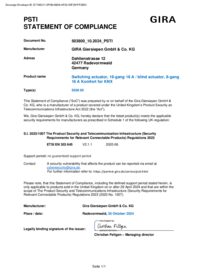
Switching actuator, 16-gang 16 A / blind actuator, 8-gang 16 A Komfort for KNX
PSTI Statement of Compliance
PSTI Statement of Compliance
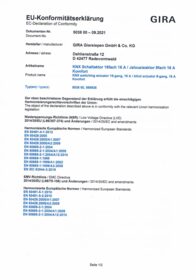
Switching acuator 16-gang, 16 A / blind actuator 8-gang, 16 A Komfort for KNX
EC Declaration of conformity
EC Declaration of conformity