Gira HomeServer 4


Price system (PS) not equal to 1, 14 = reduced discount.
Note: For legal reasons, some products are not available in certain countries.
Price system (PS) not equal to 1, 14 = reduced discount.
Note: For legal reasons, some products are not available in certain countries.
Necessary accessories
One of the following items:
DIN rail adapters (DRA)
One of the following items:
Data interfaces
Optional accessories
Accessories
Features
- Can be updated.
- Management of 200 users. Multiple logins possible under a single user name.
- Archiving of projects with your own content, e.g. floor plans etc.
- Cyclic/triggered data recording (for example, temperature courses, elapsed-hours meters, fill levels).
- Graphic user interface: Visualisation of building and device statuses with freely positionable icons and text. Storage of customised images and menu structures for each user group.
- Evaluation of IP cameras: Recording of images and playback in the visualisation. Forwarding of the image data via e-mail and FTP. Country-specific requirements must be taken into account, in particular protocol-specific information and standards in the area of communications.
- Exporting of data or alarm records in the Excel™, CSV, HTML or XML file formats.
- Mathematical functions (e.g. basic operations).
- Storing and calling up of light scenes.
- Time clocks, weekly program, public holiday calendar.
- Fault messages, measured values and sensor or actuator statuses can be sent by push notification and e-mail. Acknowledgement via KNX.
- Self-teaching occupied-home simulation.
- Remote programming via network, Internet and data communications connections.
- Transmitting ASCII texts.
- IP coupling with products from other manufacturers that generate or edit IP telegrams for control.
- Low-wearing, as there are no moving parts such as a fan or hard disk.
- Graphic logic editor: Enables module groups to be copied across projects, for example, or any number of work sheets to be created. More than 150 predefined logic nodes have been prepared. The logic online test has been enhanced to include the recording of the start sequence.
- Importing and exporting of global libraries.
- Communication objects: Data transfer from ETS by means of OPC or directly from the knxproj file. Import and export of communication objects as CSV file.
- Universal time clock: Several switching points per clock possible, as well as tracking of switching states. Use of placeholders for day, month, year. Activation/deactivation via communication object. With Astro and random function.
- Data backup/restoration of retentive data.
- 14-byte KNX texts: Evaluation by comparison with text string. Use in text messages, push notification, e-mails, or status page.
- Receipt of IP telegrams: Specification of an address range, extraction of 14-byte KNX texts, assignment to 14-byte KNX texts.
- SNMP: Readout of numeric and 14-byte KNX texts. Setting numeric values, integer values, and texts. Transmitting SNMP Traps via Gira HomeServer command. Optional ColdStart Trap when starting the Gira HomeServer.
- Bus access by means of KNXnet/IP protocol.
- Evaluation of web-based IP devices (reading/writing).
- iETS server: Remote programming of KNX systems. Enabling of iETS function with a communication object. Gira HomeServer continues to run without restriction during programming via iETS. Switching processes continue to run. Process image remains current.
- KNX Data Secure compatible.
- VDE certificate “Smart Home – Information Security Tested”.
- Logic module for Modbus TCP connection.
- Free visualisation in HTML5 technology.
Technical data
| Connection options | |
| Serial port | 1 x RS232 |
| Network | 1 x RJ45, 10/100/1,000 Mbit Ethernet |
| KNX system | via IP router for KNX, USB data interface |
| USB | 2.0 type B |
| Power consumption | approx. 15 W |
| Ambient temperature | 0 °C to +40 °C |
| Dimensions | |
| W x H x D | 225.5 x 90.5 x 231.5 mm |
Notes
- Further information:www.gira.de/homeserver.
- Technical information may vary or be modified depending on version. The scope of performance may also vary between individual clients (QuadClient, iOS app, Android app).
- Recommended system requirements for operating devices: The internet browsers on any operating devices must support HTML5, JavaScript (ECMAScript 2018) and CSS as a minimum.
- Gira HomeServer expert software for operating systems from Windows 10, including Microsoft Edge, Google Chrome and Firefox.
- Transfer of ETS group addresses from ETS 3, 4, 5, and 6.
- Integration of graphics programs.
- The Gira AppShop is the marketplace for interesting solutions and applications in intelligent building technology. There are now more than 200 apps available, including application descriptions, plug-ins, function templates, logic nodes and sample projects. Discover applications for the Gira HomeServer 4 now.www.appshop.gira.de/en.
Scope of delivery
- Mains cable, Gira HomeServer 4.
More links
Efficient service for the electrical industry - networking KNX and IP expertise with system integrators
KNX-processing electrical contractors can benefit from co-operation with system integrators when commissioning and project planning Gira building system technology products, such as the Gira HomeServer.
More
The Gira AppShop is the marketplace for interesting solutions and applications in intelligent building technology. There are now more than 200 apps available, including application descriptions, plug-ins, function templates, logic modules and sample projects.
More

UPnP plug-in for the controlling of Loewe and Revox devices.
Software for the Gira HomeServer 4 or Gira FacilityServer 4.
Attention! Only for Gira HomeServer 4 or Gira FacilityServer 4.
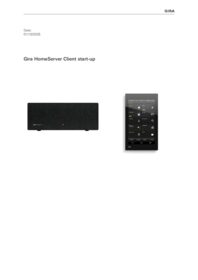
This document describes how to start up a Gira G1 (2nd generation) and set the parameters for the various applications.
Documentation for software development of HomeServer logic, plugins, templates and URL Endpoint.
Operating instructions.
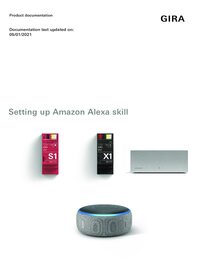
This document describes the setup of Amazon Alexa in connection with the Gira S1 and the Gira X1 or Gira HomeServer.
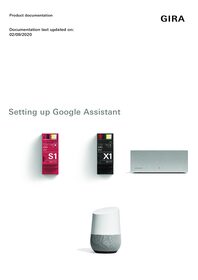
This document describes the setup of Google Assistant in connection with the Gira S1 and the Gira X1 or Gira HomeServer.

Funktionaler Angebotstext zum Gira HomeServer/FacilityServer. Format Excel. Version 1.3.1 Stand Februar 2016.
Mit dieser Datei können Sie die Firmware vom Gira HomeServer/FacilityServer auf die Version 4.6.0 via USB-Stick downgraden. Die Datei kann ab den folgenden Indexständen verwendet werden: - HomeServer: Indexstand I21 - FacilityServer: Indexstand I17 Bitte beachten Sie die Informationen in der ZIP-Datei.