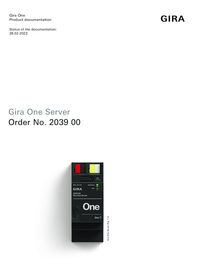
Gira One server

Specification
Item no.
GBP/unit
excl. VAT:
excl. VAT:
Room
Quantity
EAN
PU
PS

2039 00
476.31
4010337114062
1
25
Recommended retail price, prices valid for United Kingdom as of the stated date 01/26
Price system (PS) not equal to 1, 14 = reduced discount.
EAN 4010337114062
Item no. 2039 00PU 1
GBP 476.31PS 25
Recommended retail price, prices valid for United Kingdom as of the stated date 01/26
Price system (PS) not equal to 1, 14 = reduced discount.
Optional accessories
System device for door communication
Features
- Start-up server for up to 200 Gira One devices.
- Smart Home App for iOS, Android and Windows® operating systems.
- Voice control with Apple Siri shortcuts.
- Apple CarPlay.
- Functions and devices that can be visualised in the Gira Smart Home App: Switching, dimming, colour temperature and colour control of DALI-2 lighting systems, garage door, door opener, blinds, shutters, awning, roof window, roof dome (with and without positioning), floor heating (electric), floor heating (water-fed), radiator (electric), radiator (water-fed), floor heating and cooling (water-fed), weather station, heating and cooling demand message, status display of a binary state (on/off), status display of decimal states (current temperature), DALI standby switch-off, URL call-up of websites, IP camera.
- Integration of DALI-2 lighting systems.
- Automatic project documentation.
- Automatic end-customer documentation.
- Integrated diagnostic function:-·Bus monitor for controlling devices and electrical loads.-·Telegram monitor with ring memory for storing up to 500,000 telegrams.
Smart Home App
- Up to 250 devices can be controlled for each project via the Gira Smart Home App.
- Up to 250 timers, each with 10 timer points, can be set by the user in the app.
- Up to 62 users can be created in user management.
- Simultaneous access to the Gira X1 from 100 mobile end devices.
- Occupied-home simulation with the simulation starting according to the day.
- Quick access to scenes with app widgets for iOS and Android.
- Quick access to scenes with Apple CarPlay from iOS 26.
- Connection to Philips Hue with a maximum of 30 Hue devices or a maximum of 5 Hue bridges.
- Connection to Sonos with up to 25 Sonos rooms including assignment and selection of favourites.
- Integration of up to 50 IP cameras- Call-up of video streams via RTSP protocol- Connection established to IP cameras via ONVIF technology (Profile S)
- Connection of a Gira eNet SMART HOME server with a maximum of 100 eNet switching, dimming and shading devices.
- Simultaneous access to the Gira One server from 100 mobile devices.
- Access to multiple profiles in the Gira Smart Home App (Gira One, Gira X1).
- Personalisation of the user interface- Quick access to scenes with app widgets for iOS and Android- Quick access to scenes with Apple CarPlay from iOS 26- Individual favourites area.- Simple parametrisation of timers and scenes.- Simple adaptation of functions and rooms (sorting, designations, symbols, parameters, room and system assignment). More than 800 symbols are available for customising the visualisation.- Temperature display in the header (indoor and outdoor temperature).- NFC tag for calling up individual scenes.- Automatic setting of the location via GPS for Astro function.- Enable and activate remote access for other users.- Enable remote maintenance for the electrician.- User administration including administration of access rights for individual users.- PIN protection for system settings in the Gira Smart Home App.- Device password for the Gira One Server can be changed when logged into the Gira Smart Home App as administrator.- Up to 50 scenes, each with 64 scene variants.
Start-up and project management
- Project planning and start-up take place via the new Gira Project Assistant. The Gira Project Assistant is available free of charge in the Gira download area.
- Assistance-guided step-by-step project planning allows for very simple start-up of the Gira One system.
- Offline start-up with GPA: Prepare at your desk, even if you don’t have the devices yet. On-site installation at the customer’s premises once the devices have been installed.
- Quick project changes and updates during operation without the need to restart the device.
- Readout of current project via GPA.
- Project backup: Automatic backup of a copy of the project on the Gira One server.
- Regular functional upgrades and updates available with free of charge firmware and software updates.
- Two RJ45 jacks with a switch function help make looping the patch cord straightforward.
- Based on the globally proven and Smart Home Standard KNX.
High security
- Integrated, secure remote access function for Gira Smart Home App.
- Integrated, secure remote maintenance function with Gira Project Assistant.
- The device password protects the Gira One Server against unauthorised access.
- Encrypted TLS data transfer between the Gira Smart Home App and the Gira One server, as well as between GPA and the Gira One server prevents interception by third parties.
- Encrypted bus communication (KNX Data Secure) between Gira One devices and the Gira One Server protects against unwanted access and manipulation of the Smart Home by third parties.
- VDE certificate “Smart Home – Information Security Tested”.
Technical data
| Gira One Medium | Twisted pair (TP),YCYM 2 x 2 x 0.8 |
| Test voltage | 4 kV (KNX/EIB bus line) |
| Rated voltage | DC 24 to 30 V |
| Power consumption | 2 W |
| IP communication | Ethernet 10/100 BaseT (10/100 Mbit/s) |
| Supported protocols | DHCP, AutoIP, TCP/IP, UDP/IP |
| Connections | IP: 2 x RJ45 jacks |
| Ambient temperature | 0 °C to +45 °C |
| Current consumption | 70 mA |
Notes
- KNX Data Secure compatible.
- Can be updated via the Gira Project Assistant (GPA).
- Power supply via DC 24 V.
- Gira IoT REST API developer.gira.de
Dimensions
| Modular widths (MW) | 2 |
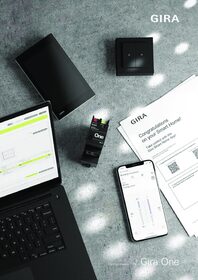

Gira One Server Firmware-Update
To perform the update the Gira Project Assistant V 6.1 is required.
To perform the update the Gira Project Assistant V 6.1 is required.
Gira Project Assistant (GPA)
Configuration software for Gira One, Gira L1, Gira X1, Gira S1, Gira G1 and DCS-IP data interface. Please unzip the entire contents of the ZIP folder before installing the GPA!
Configuration software for Gira One, Gira L1, Gira X1, Gira S1, Gira G1 and DCS-IP data interface. Please unzip the entire contents of the ZIP folder before installing the GPA!
Gira Smart Home Windows Client 32 Bit
Gira Smart Home App for Windows PC
Gira Smart Home App for Windows PC
Gira Smart Home Windows Client 64 Bit
Gira Smart Home App for Windows PC
Gira Smart Home App for Windows PC