Bus coupler button WP SM, 1-gang with control window and two-point operation for KNX

Specification
Item no.
Room
Quantity
EAN
PU
PS

grey
5152 30
4010337500070
1
Price system (PS) not equal to 1, 14 = reduced discount.
Note: For legal reasons, some products are not available in certain countries.
grey
EAN 4010337500070
Item no. 5152 30PU 1
PS
Price system (PS) not equal to 1, 14 = reduced discount.
Note: For legal reasons, some products are not available in certain countries.
Optional accessories
Accessories
Zubehör
The bus coupler button is the interface between the KNX system and the user.
Features
Button function
- Switching, dimming, blind, value transmitter 1-byte, and scene auxiliary unit.
- Switching function: Command for pressing and releasing the buttons can be parameterised (ON, OFF, CHANGE, no reaction).
- Dimming function: Command for pressing the buttons can be parameterised (Brighter-ON, Darker-OFF, Brighter or Darker-CHANGE, Brighter-CHANGE, Darker-CHANGE, no reaction).
- Blind function: Command for pressing the buttons can be parameterised (UP, DOWN, no reaction).
- Value transmitter 1-byte function: Mode of operation can be configured.
- Scene auxiliary unit function: Mode of operation can be configured (with or without block function for pressing and holding a button).
- Two-point operation (upright rocker) allows both-sided (e.g. top / bottom) rocker operation.
- Bus coupler button in the water-protected surface-mounted system (IP44).
- Functions of the status LED: Red LED can either be used as an orientation light, actuation display, or status display.
- The rocker or button function operating concepts can be set.
Rocker function
- Switching, dimming, and blinds
- Command for top and bottom rocker actuation can be parameterised (ON, OFF, CHANGE, no reaction).
- Command for top and bottom rocker actuation can be parameterised (Brighter-ON, Darker-OFF, Bright/darker-CHANGE, Brighter-CHANGE, Darker-CHANGE, no reaction).
- Command for rocker actuation can be parameterised (rocker top: UP / rocker bottom: DOWN, rocker top: DOWN / rocker bottom: UP).
Technical data
| KNX medium | TP256 |
| KNX connection | Connection and junction terminal |
| Protection class | IP44 |
| Ambient temperature | -25 °C to +55 °C |
| Relative humidity | 5 to 93 % (without condensation) |
Scope of delivery
- Connection and junction terminal for KNX included with delivery.
More links
Gira bus coupler button for KNX
More

Bus coupler button WP SM, 1-gang with control window and two-point operation for KNX
PSTI Statement of Compliance
PSTI Statement of Compliance
KNX bus coupler button, surface mounted
EC Declaration of conformity
EC Declaration of conformity
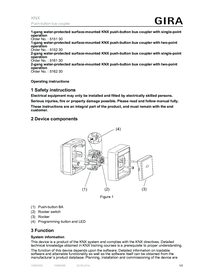
Push-button bus coupler water-protected surface-mounted
Operating instructions.
Operating instructions.
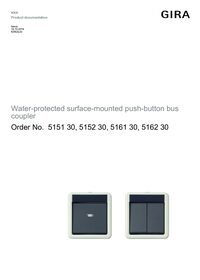
Push-button bus coupler water-protected surface-mounted
Technical documentation.
Technical documentation.
