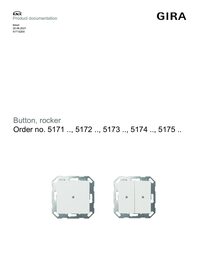
Button with rocker, 2-gang arrow symbols for Gira One and KNX System 70
No longer available

excl. VAT:

Recommended retail price, prices valid for United Kingdom as of the stated date 01/26
Price system (PS) not equal to 1, 14 = reduced discount.
No longer available. Not deliverable since 02/2025.
Successor item:
Recommended retail price, prices valid for United Kingdom as of the stated date 01/26
Price system (PS) not equal to 1, 14 = reduced discount.
No longer available. Not deliverable since 02/2025.
Successor item:
Optional accessories
Features
Function in the Gira One system
- Button for operating the Gira One system.
- Integrated temperature sensor for measuring the room temperature.
- Button and rocker function.
- Programming and start-up with the Gira Project Assistant (GPA), from version 5.0.
- Encrypted data transfer between the Gira One devices.
Operating functions
- Operation with button or rocker function.
New from GPA V6.1:
- - In the button function operating mode, each button can operate the following functions:- Switching, dimming, shading and ventilation, scene- In the rocker function operating mode, each rocker can operate the following functions- Switching, dimming, shading and ventilation, staircase, floor call (G1), Sonos audio control, garage door, door opener, boost
- Switching devices, such as lights, socket outlets or pumps.
- Dimming of lights.
- Operation of shading and ventilation devices (blinds, shutters, skylights, roof domes and awnings).
- Convenient group control of switching, dimming, shading and ventilation devices.
- Calling up of scene variants.
- Use as a staircase button to activate the staircase function for switching and dimming devices.
- Floor-call button when combined with the Gira G1.
- Control of Sonos audio devices.
- Controls Hue devices.
- Controls eNet devices.
- Door or garage door opener function.
- Boost function.
Room temperature
- Temperature adjustment for the integrated temperature sensor.
LED display
- Brightness value of the status LED can be set to 5 different levels, as well as off.
- Colour of the status LED (red, green, blue) can be set.
- Status LED function can be set depending on the rocker function: always OFF, always ON, actuation display or status display.
Function in the Gira KNX system
- Button for KNX and Gira One with integrated bus coupler.
- Integrated temperature sensor.
- Rocker function or button function can be set for each operating surface.
- Control of up to four functions possible using the button function of the KNX button.
Operating functions
- The button or rocker function operating concept can be parametrised.
- Switching, dimming and colour temperature, colour control and brightness, blinds, value transmitter, scene auxiliary unit, two-channel operation and controller auxiliary unit.
- Switching: The command when pressing and / or releasing is adjustable (No reaction, Switch on, Switch off, Switch over).
- Dimming and colour temperature: Brightness and/or colour temperature, the command when pressing, the time between switching and dimming, the dimming in different steps, the telegram repetition if pressed for a long time and the sending of a stop telegram at the end of pressing can be set.
- Colour control and brightness: Colour cycle or brightness adjustment, the command when pressing, the time between switching and dimming, the start value, the increment and the time between two telegrams can be set.
- Blinds: The command when pressed and the operating concept are adjustable. The operating concept can be adapted in the times for short and long actuation and slat adjustment.
- Value transmitter: The mode of operation (1-byte, 2-byte, 3-byte or 6-byte value transmitter) and the value are adjustable.
- Scene auxiliary unit: The mode of operation (with or without memory function) and the scene number are adjustable.
- 2-channel operation: Up to two telegrams can be sent to the KNX by pressing a button. The operating concept can be set and the time for short and long actuation can be adjusted. The mode of operation of the channels can be set separately.
- Controller auxiliary unit: The mode of operation (operating mode switch-over, forced operating mode switch-over, presence function and setpoint adjustment) can be set.
- Function for disabling individual buttons and rockers.
Controller auxiliary unit properties
- The controller auxiliary unit can be parametrised as the function of a rocker or button. Control of a room temperature controller (operating modes, presence function and setpoint adjustment).
- Evaluation of the controller status via status LED.
- Temperature measurement can be activated. Measurement of the room temperature with an internal sensor or optionally by creating a measured value of the internally measured temperature with an external temperature.
Functions of the status LEDs
- The function selection is made for each status LED. The following functions can be parametrised: always OFF, always ON, actuation display, telegram acknowledgement, status display, control with separate LED object, operating mode display, controller status display, presence status display and setpoint adjustment.
- Colour can be parametrised. The colour selection is performed either for all status LEDs or separately for each status LED of the device. The status LEDs can light up optionally in red, green or blue.
- The brightness of the status LED can be adjusted in five steps. With night-time reduction, the brightness of the status LEDs can be reduced in the night hours by means of a communication object.
Technical data
| Gira One Medium | Twisted pair (TP),YCYM 2 x 2 x 0.8 |
| KNX medium | TP256 |
| Test voltage | 4 kV (KNX/EIB bus line) |
| Connection | Connection and junction terminal |
| Protection class | III |
| Installation depth | 15 mm |
| Ambient temperature | -5 °C to +50 °C |
| Current consumption | 8 - 12 mA |
Notes
- KNX Data Secure compatible.
- Can be updated via the Gira Project Assistant (GPA).
- The rockers are optionally interchangeable with alternative versions.
- Programming and commissioning using the Gira Project Assistant (GPA), version 6.1 or later.
- Encrypted data transfer between the Gira One devices.

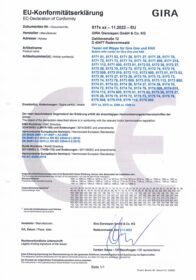
EC Declaration of conformity
Item no. 5171 005 5171 01 5171 015 5171 03 5171 26 5171 27 5171 28 5171 70 5171 72 5171 73 5171 74 5171 76 5171 112 5171 600 5172 005 5172 01 5172 015 5172 03 5172 26 5172 27 5172 28 5172 70 5172 72 5172 73 5172 74 5172 76 5172 112 5172 600 5173 005 5173 01 5173 015 5173 03 5173 26 5173 27 5173 28 5173 70 5173 72 5173 73 5173 74 5173 76 5173 112 5173 600 5174 005 5174 01 5174 015 5174 03 5174 26 5174 27 5174 28 5174 70 5174 72 5174 73 5174 74 5174 76 5174 112 5174 600 5175 005 5175 01 5175 015 5175 03 5175 26 5175 27 5175 28 5175 70 5175 72 5175 73 5175 74 5175 76 5175 112 5175 600
PDF, 229.31 KB
PSTI Statement of Compliance
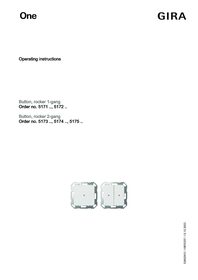
Operating instructions.
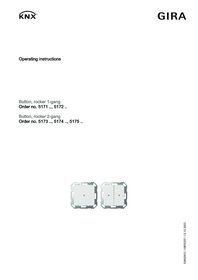
Operating instructions.
Technical documentation.
