DALI gateway Colour, 2-gang for KNX

Specification
Item no.
GBP/unit
excl. VAT:
excl. VAT:
Room
Quantity
EAN
PU
PS

DRA
2112 00
549.00
4010337110071
1
66
Recommended retail price, prices valid for United Kingdom as of the stated date 01/26
Price system (PS) not equal to 1, 14 = reduced discount.
DRA
EAN 4010337110071
Item no. 2112 00PU 1
GBP 549.00PS 66
Recommended retail price, prices valid for United Kingdom as of the stated date 01/26
Price system (PS) not equal to 1, 14 = reduced discount.
Features
General
- Depending on the device variant, either one DALI system (1-gang device variant) or in two separate DALI systems (2-gang device variant).
- Compatible with DALI and DALI-2 Standard.
- Controlling lights with DALI operating devices in a KNX installation.
- Switching and dimming of a maximum of 64 lights with DALI operating device (e.g. electronic ballast) per DALI system.
- Up to 6 different addressing types enable group-oriented or individually addressed control of DALI lights using KNX telegrams.
- A total of 64 DALI device channels are available per DALI system. These can be used either for a maximum of 64 individually addressed DALI operating devices or for any combination of group-addressed (max. 32) and individually addressed DALI operating devices.
- Support for the control of DALI operating devices of the “Tunable White” device type (DALI Device Type 8 - TW). Control of colour temperature via relative or absolute dimming and also via scenes and effects. The colour temperature is controlled largely independently of the brightness control for the light sources used.
- Realisation of a dim-to-warm function optionally static (via ETS parameters) or dynamic (via KNX communication object).
- Realisation of a daytime colour temperature curve for the implementation of biologically effective lighting (HCL: Human Centric Lighting) possible. Up to four HCL matrices that can be freely configured in terms of brightness and colour temperature are available for this purpose and can be activated and switched by the user or according to the time of day and day of the week
- Control of the light colour when using DALI operating devices of the “Colour Control” device type (DALI Device Type 8 - RGBW Colour Control). The gateway enables flexible colour control in the “RGB”, “RGBW”, and “HSV” colour spaces. In the “RGB” colour spaces, the colour can be controlled by relative or absolute dimming either via combined or separate communication objects according to the KNX specifications. In the “HSV” colour space, separate objects are always available for absolute control of the light colour by hue (H), saturation (S) and brightness value (V).
- A colour transition can be implemented to create different colour moods depending on the time of day and day of the week (CTM: Colour Transition Mode). Up to four CTM matrices that can be freely configured are available for this purpose. Each matrix allows individual colour preferences to be set, with or without brightness adjustment. The matrices can be individually activated and switched when the gateway is in operation.
- With colour control: Execution of automatic colour circle and brightness cycles. The colour cycle is used for automatic overall colour control of DALI lights. This function uses the cyclical adjustment of the hue in the colour circle. This results in continuous colour transitions that can be started and stopped as preferred during the gateway’s runtime. The automatic brightness cycle functions in the same way. This function adjusts the brightness in the entire brightness range in cycles, thereby creating individual brightness scenarios.
- Optional central control of all connected DALI components possible (broadcast). This eliminates the need to start up DALI, which means that lighting systems with low functional requirements can be put into operation quickly and easily (simplified configuration without starting up DALI).
- Manual operation of the groups and individual devices independently of the bus (also site operation with broadcast control) separated for the DALI systems. Control of switching condition and brightness.
- Feedback about DALI error status, DALI Busy, or DALI short circuit and notification of power supply failure.
- Up to 6 central switching and dimming functions.
- Global switching status and standby switch-off of the connected electronic ballasts can be implemented. Group feedback of all switching conditions possible.
- Groups and individual devices can be included in up to 16 light scenes per DALI system to control brightness, colour temperature, and colour.
- Implementation of DALI start-up and DALI test via Device Configuration App, which is fully integrated into the ETS and supplements the standard parameter dialogue.
- Commands from DALI sensors are displayed on KNX (switching, dimming etc.).
- Broadcast control via KNX communication objects as an additional control option for DALI group or individual control.
Group and device functions
- Each group and each individual device has the full range of functions without restriction. All channel-oriented functions can be parameterised separately for each group or each individual device. This enables independent and multifunctional control of the DALI operating devices.
- Active status messages for switching status, brightness value, colour temperature and colour are possible.
- Brightness and colour temperature limits (minimum, maximum) can be set.
- Dimming behaviour and dimming characteristics can be parameterised.
- Gentle switching on and off of lights (soft ON, soft OFF).
- Disable function or alternative forced setting function can be parameterised. Light groups and individual devices may flash when the disable function is activated.
- Time functions (switch-on/switch-off delay, staircase light function - also with advance warning function).
- Elapsed operating time meter.
- DALI Power-ON level and DALI system failure level can be set via the “After bus/mains voltage recovery” and “In the event of bus/mains voltage failure” behaviour parameters respectively.
- Reactions in the event of bus/mains voltage failure and recovery and after an ETS programming process can be set (for brightness control). Fixed for colour temperature and colour control.
ETS Device Configuration App (DCA)
- Convenient DALI start-up without external software components. DALI operating devices are identified, addressed and assigned separately for both DALI systems in the DCA’s DALI start-up environment.
- Rapid identification of DALI operating devices using keyboard control and automatic flashing function.
- Offline DALI configuration: Extensive configuration options are also possible without a connection to the DALI installation.
- Previously identified DALI electronic ballasts can be assigned to groups or individual devices without an existing programming connection to the device or DALI installation.
- The allocation of the DALI short addresses can be influenced individually. Supplemented by group and device names, it is possible to uniquely identify DALI operating devices in this way.
- Optional deactivation of brightness adjustment during DALI device search (e.g. in existing systems).
- Checking of DALI device types when assigning DALI operating devices to configured groups or individual devices. This prevents functional incompatibilities after start-up.
- Compatibility mode to support non-DALI compliant operating devices.
- Partial DALI start-up: When this function is used, operating devices already found during a DALI device search are retained even if they do not respond to the gateway.
- Test function of all DALI groups created or individual DALI operating devices: central ON/OFF switching (broadcast), device test (ON/OFF, brightness value and colour temperature or colour specification, device status), group test (ON/OFF, brightness value and colour temperature or colour specification) and tests of scenes.
- Export and import of parameterisation templates in XML format.
- Documentation function for creating a configuration report as a PDF (overview of group assignment or entire device configuration).
Technical data
| KNX medium | TP256 |
| KNX current consumption | 4.5 to 5.0 mA |
| Rated voltage | |
| AC | AC 110 to 240 V, 50/60 Hz |
| DC | DC 110 to 240 V |
| Power loss | max. 3 W |
| DALI rated voltage | DC 16 V (typ.) |
| Output current per DALI system | typ. 128 mA, max. 250 mA for short periods |
| Number of DALI devices | max. 64 per DALI system |
| DALI transfer rate | 1.2 kbit/s |
| DALI-2 protocol | 62386-101 Ed. 2.0 62386-103 Ed. 2.0 |
| Connections | |
| KNX | Connection and junction terminal |
| DALI | Screw terminals |
| Cable lengths between gateway and operating device | |
| Ø 1.5 mm² | Max. 300 m |
| Ø 1.0 mm² | max. 238 m |
| Ø 0.75 mm² | max. 174 m |
| Ø 0.5 mm² | max. 116 m |
| Connection cross section | Max. 4 mm² |
| Ambient temperature | -5 °C to +45 °C |
Notes
- KNX Data Secure compatible.
- Firmware can be updated using the Gira ETS Service App (additional software).
- The full functionality of the DALI system can only be ensured if exclusively DALI-2 operating devices are used.
Scope of delivery
- Connection and junction terminal for KNX included with delivery.
Dimensions
| Modular widths (MW) | 4 |

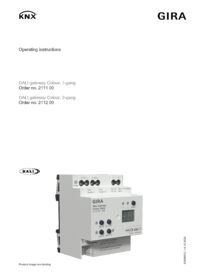
DALI gateway Colour, 1-gang / DALI gateway Colour, 2-gang
Operating instructions.
Operating instructions.
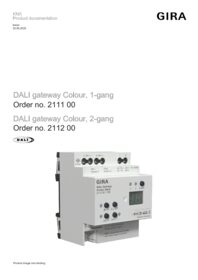
DALI gateway Colour, 1-gang / DALI gateway Colour, 2-gang
Technical documentation.
Technical documentation.

DALI gateway Colour, 1-gang / DALI gateway Colour, 2-gang
from ETS5.7.7
from ETS5.7.7